Free course › Module 1
Lesson 9 of 10 · 6 min
Patience is More Than a Virtue: It’s a Requirement
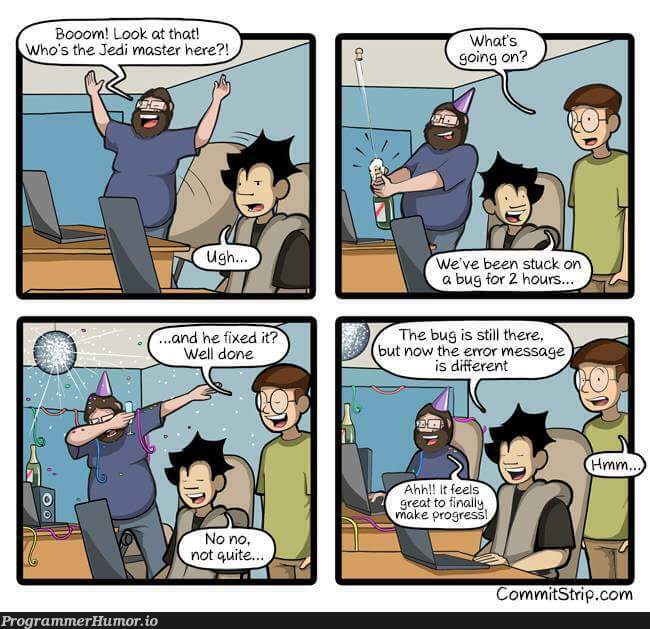
Let’s be real: this journey you’re on (building software with AI, especially if you're new to coding) is going to test your patience. There will be moments of excitement and flow, yes, but there will also be days where it feels like you’re running in circles. One fix leads to another issue. A feature that worked yesterday mysteriously breaks today. And sometimes, despite your best efforts, a bug will linger for hours, or even days, before you finally crack it.
This is all completely normal.
Debugging is part of the process, and it’s one of the most humbling and instructive aspects of software development. Think of it like solving a puzzle, except sometimes the pieces change shape as you're fitting them together. It's not uncommon to take one step forward only to stumble two steps back. But each stumble is an opportunity to learn something that will make you sharper the next time around.
Let’s say you’re trying to integrate a new authentication system. You finally get the login flow working: users can sign in, sessions are created, and everything feels good. Then you notice your profile pages are broken. Turns out, the logic that checked if users were logged in was depending on the old session model. Now you're off fixing that, which leads to yet another issue with protected routes. This is how it goes. Fix one thing, and another area may break because of a dependency you didn’t realize was there.
It’s frustrating. But it’s also incredibly rewarding when you finally get it all working. That “aha!” moment after hours of debugging feels amazing, like lifting a fog and suddenly seeing clearly.
If you're feeling stuck, consider reaching out to someone you know who works in tech. Seriously, buy them a coffee. Pick their brain. Share what you're building. Developers who’ve been through the wars of production software can offer you perspectives and shortcuts that no tutorial or forum can replace. Ask them about the worst bugs they’ve had to fix or how they manage complex systems. You'll likely walk away with a better understanding of your own project and maybe even a new debugging strategy to try.
And if you’re the kind of person who thrives on structure, good news: you can bring that mindset into your workflow. Treat your software project like a checklist of small tasks. Some need to be done sequentially, while others can happen in parallel. Break big features down into smaller components: pages, buttons, API calls, validation rules. Ticking off those small wins one at a time not only builds momentum, but also helps you stay focused and avoid feeling overwhelmed.
Real-world example? A friend of mine was building a task management app with AI-generated reminders. It started off smooth: simple task creation, UI design, backend routes. Then came the intelligent reminder feature, where the app suggests when to do certain tasks based on user history. Suddenly, timezone logic broke date formatting, which caused the reminders to fire at the wrong times. Fixing that broke the calendar view. Then the reminder email flow started firing twice. Every fix introduced a ripple effect. It took nearly a week to get it all behaving properly. But they learned more that week than they had in the previous month.
You don’t need to be perfect, and you don’t need to solve everything immediately. You just need to stay patient, curious, and willing to keep showing up.
Best Practices for Staying Sane and Steady During Debugging:
-
Expect setbacks. They’re part of the job.
Don’t panic when something breaks. Assume it will, and be ready to investigate. -
Keep your debugging process methodical.
Work one problem at a time. Reproduce the issue. Log everything. Check assumptions. -
Don’t debug in silence.
Talk it through with a dev friend or even just out loud. It helps more than you think. -
Use AI as a debugging buddy.
Share logs, describe behavior, and ask the AI for likely causes or strategies to isolate the issue. -
Talk to experienced developers.
A coffee chat with someone who’s been there can give you shortcuts you won’t find online. -
Lean into structure and task planning.
Break your project into tiny, doable tasks and check them off as you go. -
Be careful with “fixes” that create side effects.
Always test after changes. What looks fixed in one place may be broken in another. -
Celebrate small wins.
Every bug you squash makes you a better builder.
Questions to Consider:
- How do you handle frustration when something isn’t working? Do you take a step back or try to power through?
- Are you building out your project in small, manageable steps, or trying to solve everything at once?
- Do you have someone in your network who could give you a fresh perspective on a tricky issue? When’s the last time you reached out?