Free course › Module 1
Lesson 5 of 10 · 10 min
Get better results through better prompts
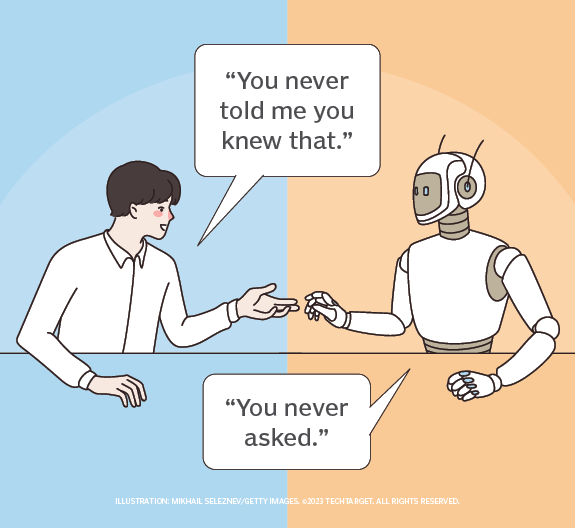
When working with AI to build software, the quality of your results is directly tied to how clearly and thoroughly you communicate your ideas. Imagine again that you're managing a software developer in real life. You must provide specific guidance on exactly what needs improvement The same approach applies here. The more detailed and context-rich your prompts, the better the AI's output will be. So let’s dive deeper into how you can consistently write prompts that produce outstanding results.
Providing more context
Instead of "make the formatting look better", try, "On a mobile view, the page looks like it's been squashed a bit just below the hero section. We need to add more spacing below it. Here's a screenshot and I've drawn on it where we need to add more spacing.
First off, never underestimate the power of context. The AI assistant you're working with doesn't have access to your environment or your full vision unless you clearly describe it. If you're encountering an error, don't just tell the AI, "My app isn't working right. I get an error message" Instead, describe precisely what's happening: share the exact error messages, copy and paste code outputs, include screenshots with markup, or even capture video snippets demonstrating the issue in action.
Check out the installation page (link also in the Resources box on the Dashboard) on how to enable the javascript console to see realtime logging data.
Providing screenshots (drag them into Claude Code or Codex, or paste them in)
Let’s say you're developing a dashboard and the layout isn't rendering correctly. Instead of vaguely stating, "Dashboard looks weird," you might prompt the AI like this: "Here's a screenshot of my dashboard page. Notice the widgets overlap at certain screen sizes. Here’s the CSS and React component code for this page. How can you adjust this to make it responsive?" For UI-related queries, provide annotated screenshots showing exactly what needs to be changed or fixed. When you give this kind of detailed input, your AI assistant can diagnose the issue and generate solutions far more accurately.
(On a Mac, press Command + Shift + 4 and drag around the area; it saves to the desktop. On Windows, press Windows + Shift + S.)
In the Claude desktop app, Claude can also open your running app in its built-in browser pane and look for itself, and Codex has an in-app browser too.
Stuck on a tough problem? Ask for several approaches: "Give me three ways to fix this database connection error, and rate your confidence in each." You'll receive varied insights, allowing you to weigh your options carefully before implementing a solution.
Another valuable tactic is to proactively explore solutions or technologies you might not be aware of. If you're unsure about which cloud database platform to choose, simply ask something like, "What cloud-based databases are suitable for securely storing user data? Can you highlight their main features, pros, cons, and typical costs?" Similarly, you might ask, "Are there reliable free SMTP mail servers available for handling my app’s outgoing emails?" If you don't know what an SMTP server is, you could simplify your prompt even furher. "We need to send out emails to people if they reach us via a contact from. How to we best implement a contact form and how will the emails go out?" Upon hearing you need an SMTP server, then you could continue to ask for any free options. These open-ended prompts often uncover valuable new tools, resources, or solutions you hadn't considered.
Ultimately, the clarity, thoroughness, and precision of your prompts shape your success when using AI to develop software. Treat your interactions thoughtfully, like conversations with a trusted, yet junior developer who requires clear, detailed guidance. The effort invested here directly translates to higher-quality, more robust, and reliable software. More importantly, you will spend less time on your app as you will get more done as part of your conversation.
For a lot more on this topic, read the Google Prompting Guide listed in the Resources section on your Dashbaord.
Best Practices for Good Prompt Engineering:
-
Provide Rich Context:
Always try to include detailed descriptions, screenshots, error logs, or code outputs. The more complete your context, the more accurate the AI's response will be. The less requests you use getting what you want. -
Break Down Complex Problems:
Split big issues into smaller, manageable prompts. Solve each part methodically to avoid confusion and errors. Have the AI create a long task list of what's needed and methodically work your way through it. -
Request Multiple Solutions:
When stuck, ask your AI assistant explicitly for several possible solutions, along with confidence ratings, to help you evaluate options clearly. -
Ask Open-ended Questions:
If you're uncertain about available technologies or solutions, use prompts like, "What are the available options for...?" This can uncover new tools or methods you weren't aware of. -
Pause and Reassess Regularly:
If solutions repeatedly fail, explicitly prompt the AI to pause, reassess, and clarify. Provide clear observations, additional logs, or debugging data to help it find the root cause. -
Use Specific Examples:
Reference other websites, apps, or features directly in your prompts. This gives clear benchmarks or visual goals for your assistant to target. -
Include Visuals with Annotations:
Screenshots with clear markup or annotations dramatically enhance clarity, especially for UI/UX tasks. This can save you significant hours wasted (and usage requests) -
Confirm AI Understanding:
Occasionally ask the AI to summarize your instructions back to you. This ensures alignment and catches misunderstandings early. -
Explicitly Mention Constraints:
Clarify limitations upfront, such as budget constraints, preferred technologies, or deadlines, to get more practical, relevant solutions. -
Test and Validate Thoroughly:
Always verify changes proposed by the AI. Carefully test major modifications to ensure no unintended side effects or regressions occur.
Questions to consider:
- Think about a recent interaction you had with AI. Were your prompts as detailed and clear as they could have been? What could you have improved?
- How might you structure your prompts differently when dealing with complex debugging or exploring new technologies?
- Can you identify specific strategies or tools (such as screenshots, logs, or examples from other sites or apps) that you might use regularly to improve your prompt effectiveness?